
Best Mac products of the month July 2026
Explore the most innovative and popular mac products that captured the community's attention during month. These rankings help builders compare standout launches, understand what each product does, and discover practical tools shaping the future of technology.
Period
Monthly ranking
Published for
July 2026
Selection
10 ranked products
Ranked list
Community-backed mac picks
Each product profile includes the launch story, visual preview, and direct product link so readers can move from discovery to evaluation quickly.
01
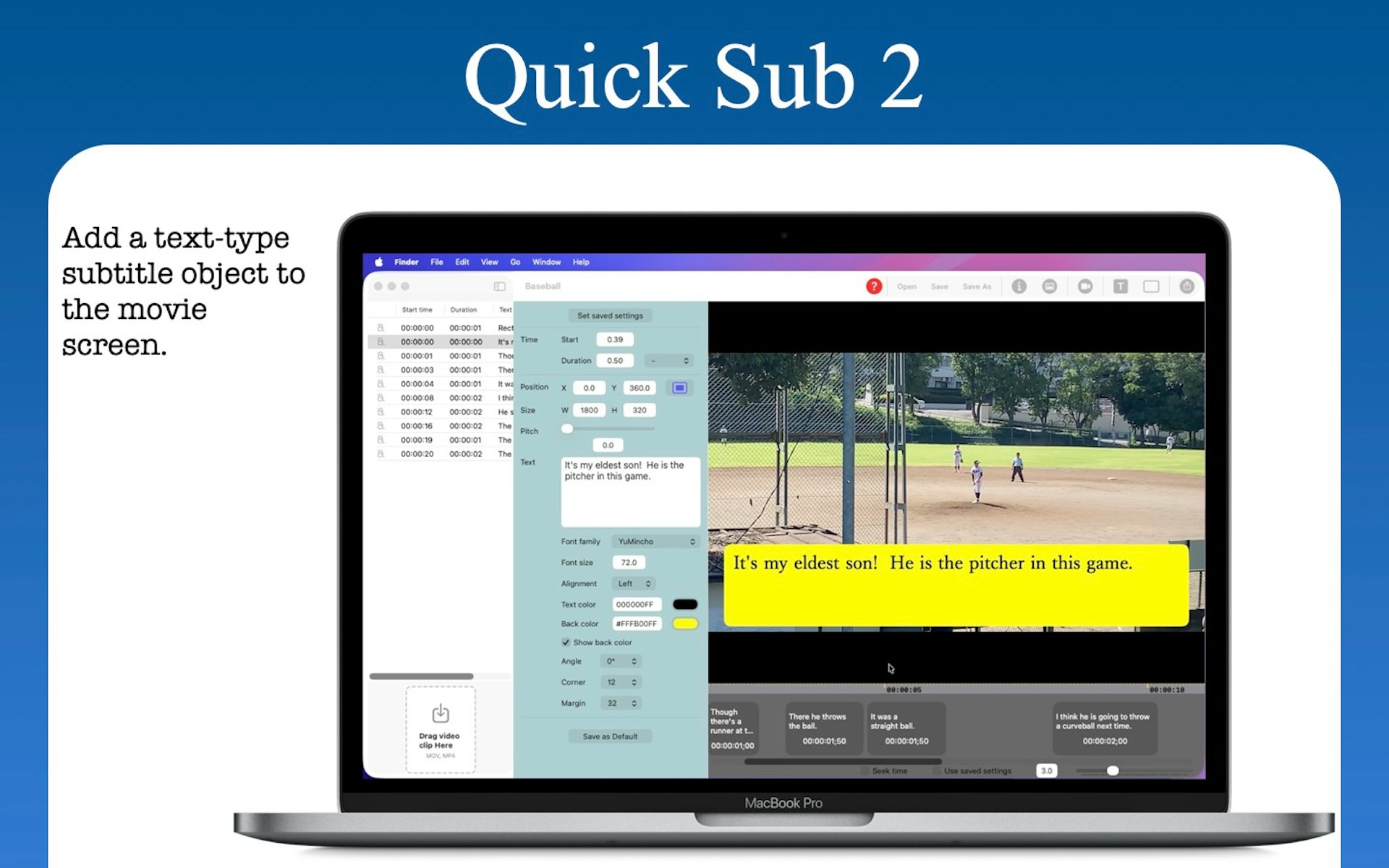
Quick Sub 2 is a streamlined macOS application built in SwiftUI specifically for creative video subtitling. It gives you independent control over text styling, container geometry, and rotation angles. You can drag subtitle objects directly on the video canvas for perfect positioning, apply batch styles across multiple objects with a single command, and use a dynamic timeline that scales from 0.1x to 10x for precision timing. The app includes full native undo and redo support and reliable file persistence.
02

GetCompress is a compact desktop application that allows you to batch compress videos, images, GIFs, and PDFs quickly. You can reduce file sizes by up to 90 percent while maintaining excellent visual quality. Because the compression happens entirely offline, your files remain secure and your workflow stays private. The interface is simple, allowing you to drag and drop files without needing extra clicks or complex configurations. It is currently available for users on Mac, Windows, and Linux platforms.
03

Crest is a utility for your Mac that transforms the notch area into a functional hub. It gives you quick access to media controls, system statistics, calendar events, tasks, and translation tools directly from your menu bar. The app is free to use, with a Pro version available for 19.99 that unlocks additional features and customization options.
04
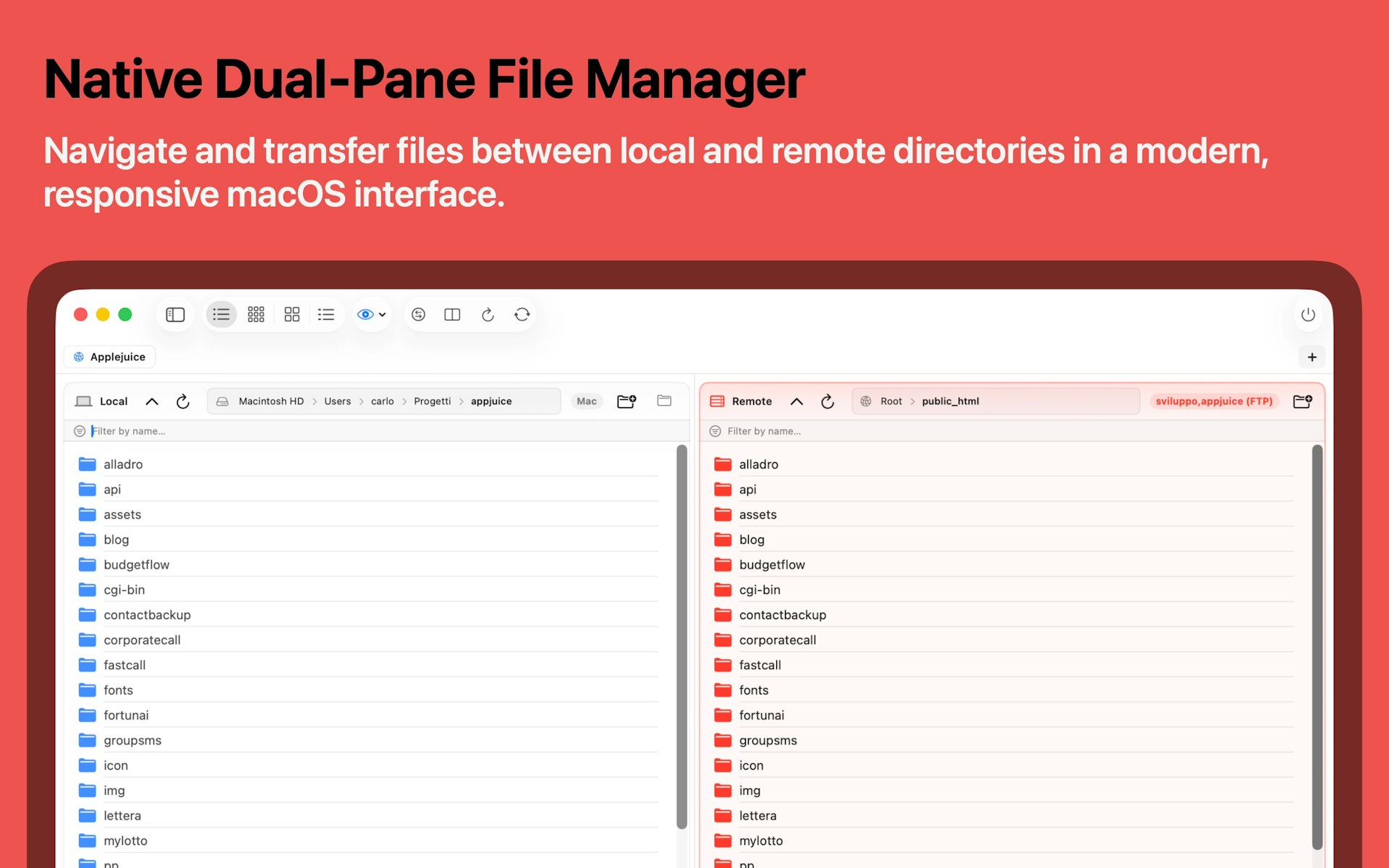
Upstream is a modern and lightweight FTP and SFTP client built specifically for the macOS ecosystem. It replaces cluttered, outdated interfaces with a fast and secure file transfer experience that feels native to your computer. It is designed for developers and system administrators who need a reliable, high performance tool that is both beautiful and easy to use.

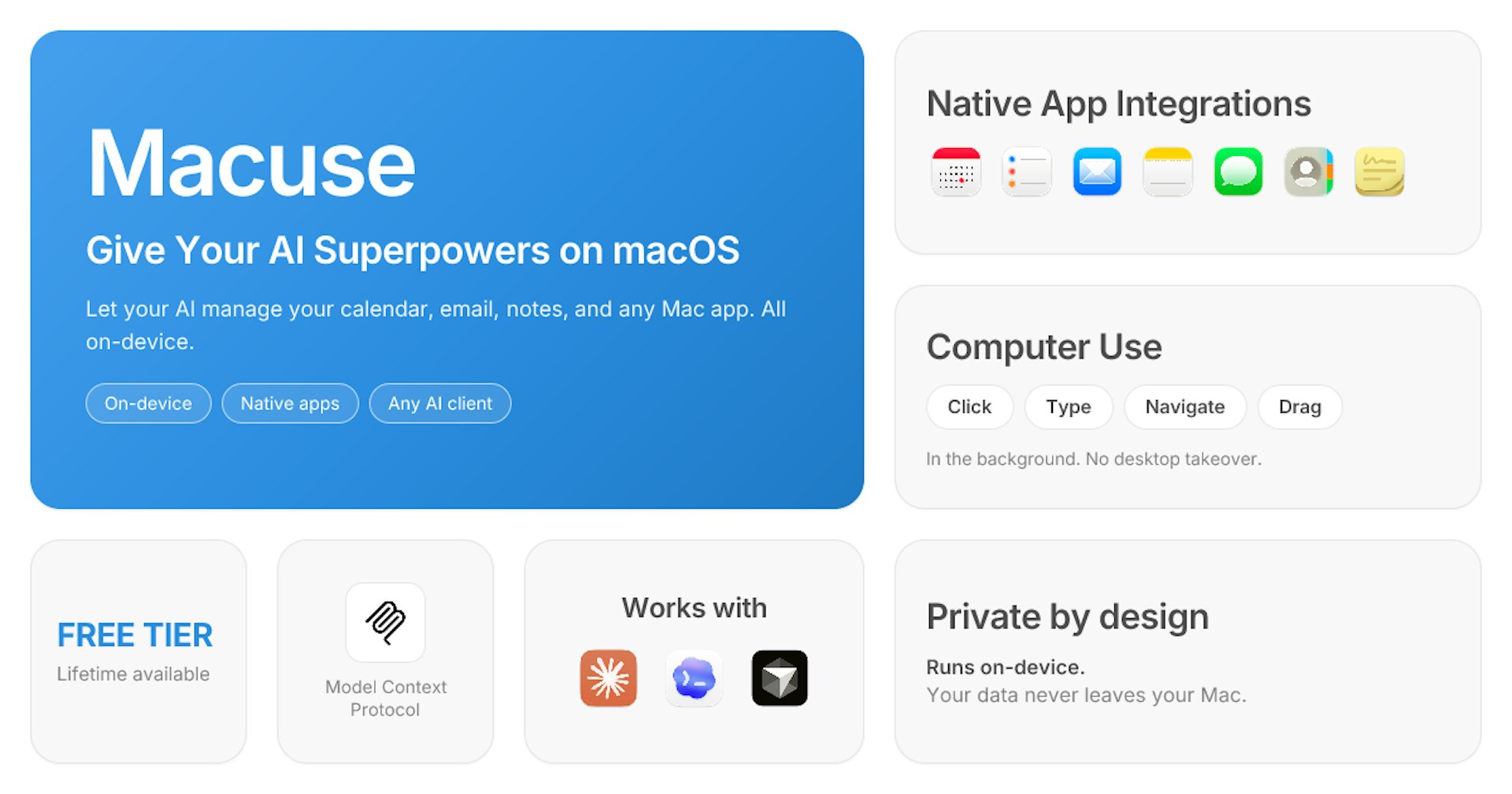
Macuse is a native macOS application that connects AI clients like Claude, Cursor, and Raycast to your specific Mac apps. It provides AI assistants with local access to your Calendar, Mail, Notes, Reminders, and Messages. This enables true app control through Computer Use, allowing your AI to interact with your local environment to accomplish tasks more effectively.
06
Glaze from the team at Raycast is the fastest way to turn your ideas into a functional Mac app. Just describe what you want, and it builds a real application that sits in your dock and launches instantly. It works entirely offline and utilizes the full power of your hardware, providing a personalized software experience that is shaped exactly to your needs.
07

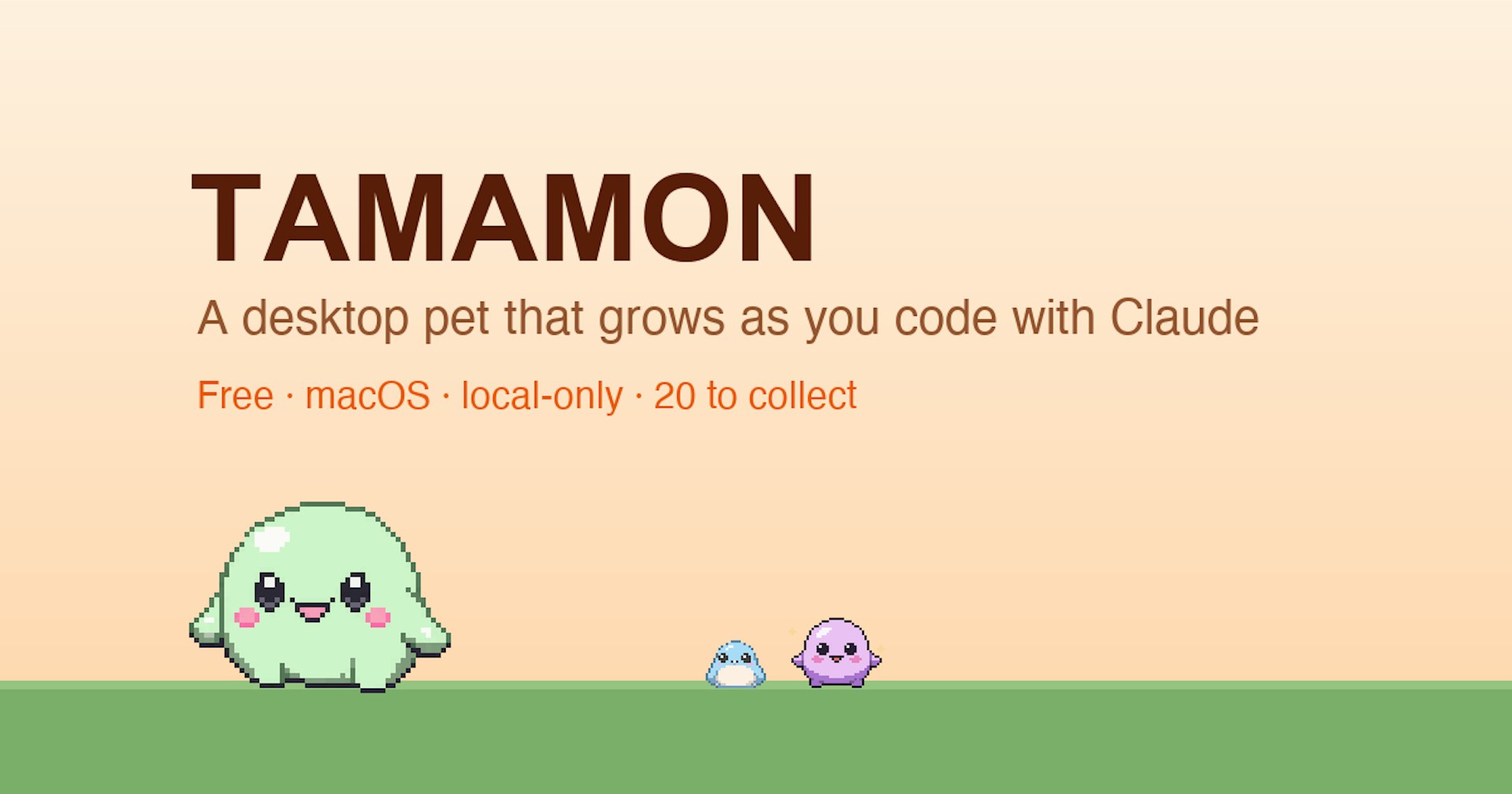
Tamamon is a charming macOS companion that sits on your screen and evolves as you work with Claude Code. You can collect 20 different species through a weekly gacha system, each featuring unique evolutions and personality traits. You can interact with your pet by feeding it, playing games like bubbles or ball, and customizing its environment. The pet even responds to your local weather and time of day, resting when it gets dark or rainy. Best of all, your data stays entirely on your Mac, as there are no accounts, logins, or tracking involved.
08
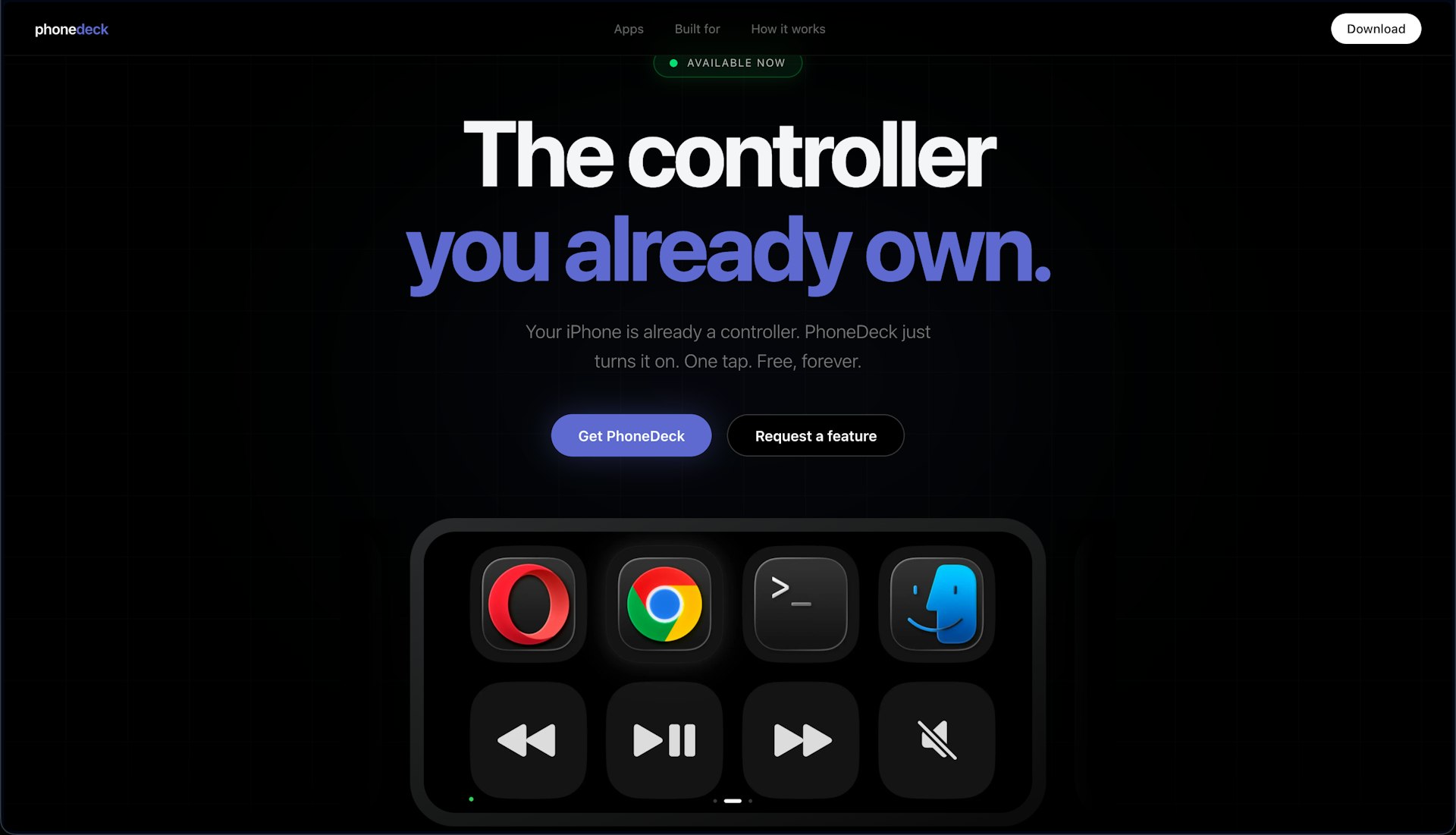
You can transform the iPhone you already carry into a powerful, fully customizable controller for your Mac. PhoneDeck provides a touch interface for media controls, app launching, and custom buttons directly on your screen without requiring any extra hardware. There are no subscription fees and the app works right out of the box with zero setup headaches. It was created by a solo developer to solve a personal need and is available now for immediate download.
09
Orbit keeps every one of your Google accounts in its own dedicated, isolated room on your Mac. You get the full power of the Gmail web interface, including Calendar, Drive, and Meet, all while keeping your accounts separate. It is a lightweight, native app that does not require a subscription or a server. You can switch between accounts easily using simple keyboard shortcuts, and there is a free trial available so you can test how it improves your daily workflow.
10

Lispr is a free, high-performance voice dictation and translation tool for Mac and Windows. You simply hold a key, speak, and release to have your words appear in whatever application your cursor is currently in. It supports roughly 99 languages and allows you to switch between them mid-sentence. You can also use a translation key to have your speech converted into one of 32 languages before it is typed out. With a median latency of only 346 milliseconds, it is fast and responsive. The microphone remains off until you press the key, and the app never stores your audio or requires an account.