
Best Mac products of the week May 25, 2026
Explore the most innovative and popular mac products that captured the community's attention during week. These rankings help builders compare standout launches, understand what each product does, and discover practical tools shaping the future of technology.
Period
Weekly ranking
Published for
May 25, 2026
Selection
10 ranked products
Ranked list
Community-backed mac picks
Each product profile includes the launch story, visual preview, and direct product link so readers can move from discovery to evaluation quickly.
01

Retina 2 is a premium Mac screen recorder engineered to produce exceptionally polished and professional demos with minimal effort. It intelligently auto-zooms into key areas of action, and meticulously cleans cursor paths, transforming them into smooth, elegant arcs. With 4K export capabilities and optimized file sizes, your recordings achieve a cinematic quality straight out of the box, eliminating the need for extensive post-production editing. Retina 2 is ideal for creating stunning product demos, insightful tutorials, and clear feature walkthroughs that demand a professional look without requiring hours of editing. Currently in beta, it is completely free to use and includes no watermarks, proudly crafted by BlendPixel.
02

Are you tired of taking multiple screenshots and pasting them one by one, especially when sharing context with AI or other applications where each image consumes tokens or increases file size? GhostSnap offers an elegant solution. It allows you to snap multiple screenshots which are then automatically compressed by up to 80% and instantly copied to your clipboard the moment they are captured. You can then paste everything at once with a single Cmd+V command. GhostSnap also provides additional powerful features, including the ability to extract text from multiple screenshots into one clean block and to annotate your captures before pasting them, all accessible via native Mac shortcuts. Get it for a one-time purchase of $6.99, covering two Macs. GhostSnap conveniently lives in your menu bar, ready whenever you need it.
03

Unrestricted freedom can often hinder focus. iPromise introduces an innovative deep work protocol rooted in the powerful principle of Body Doubling, which suggests that the presence of a 'witness' significantly enhances personal accountability. Your dedicated AI Buddy integrates seamlessly and elegantly within your Mac notch. This intelligent companion constantly understands the context of your active window, and should your attention begin to wander towards distractions, it provides gentle, non-intrusive nudges to guide you back to your task. Simply make a promise to yourself, and your AI Buddy will be there to help you consistently keep it, fostering uninterrupted deep work sessions.
04

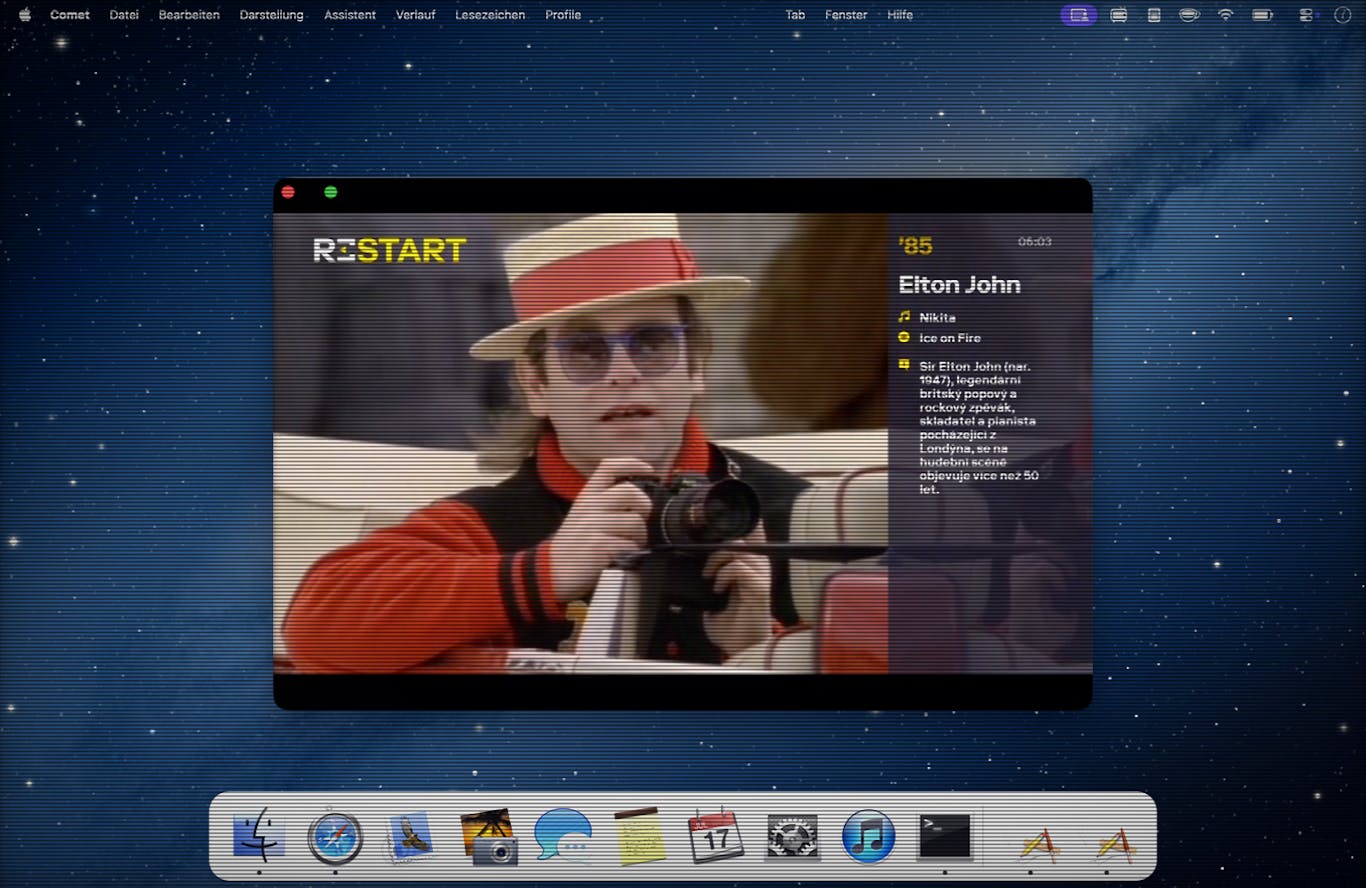
RetroMac transforms your contemporary Mac into a vibrant, nostalgic retro experience, bringing back the charm of classic machines. Immerse yourself in the aesthetics of a CRT monitor, the iconic classic Macintosh interface, or even the pixelated look of a Game Boy or the grainy feel of VHS. With over 30 customizable shader presets, you can apply these effects to your entire screen or just a specific window. Personalize your desktop further by swapping your modern Dock for classic Mac and Windows appearances, and effortlessly capture uniquely themed screenshots. Get started for free, with additional premium presets available to unlock even more retro possibilities.
05

Kosshi provides a beautifully simple and highly efficient native outliner experience for both macOS and iOS. Designed for speed and clarity, it offers a distraction-free environment perfect for focused outline editing. Organize your thoughts, structure your projects, and capture ideas with remarkable ease and fluidity across all your Apple devices, ensuring your productivity remains uninterrupted wherever you are.
06

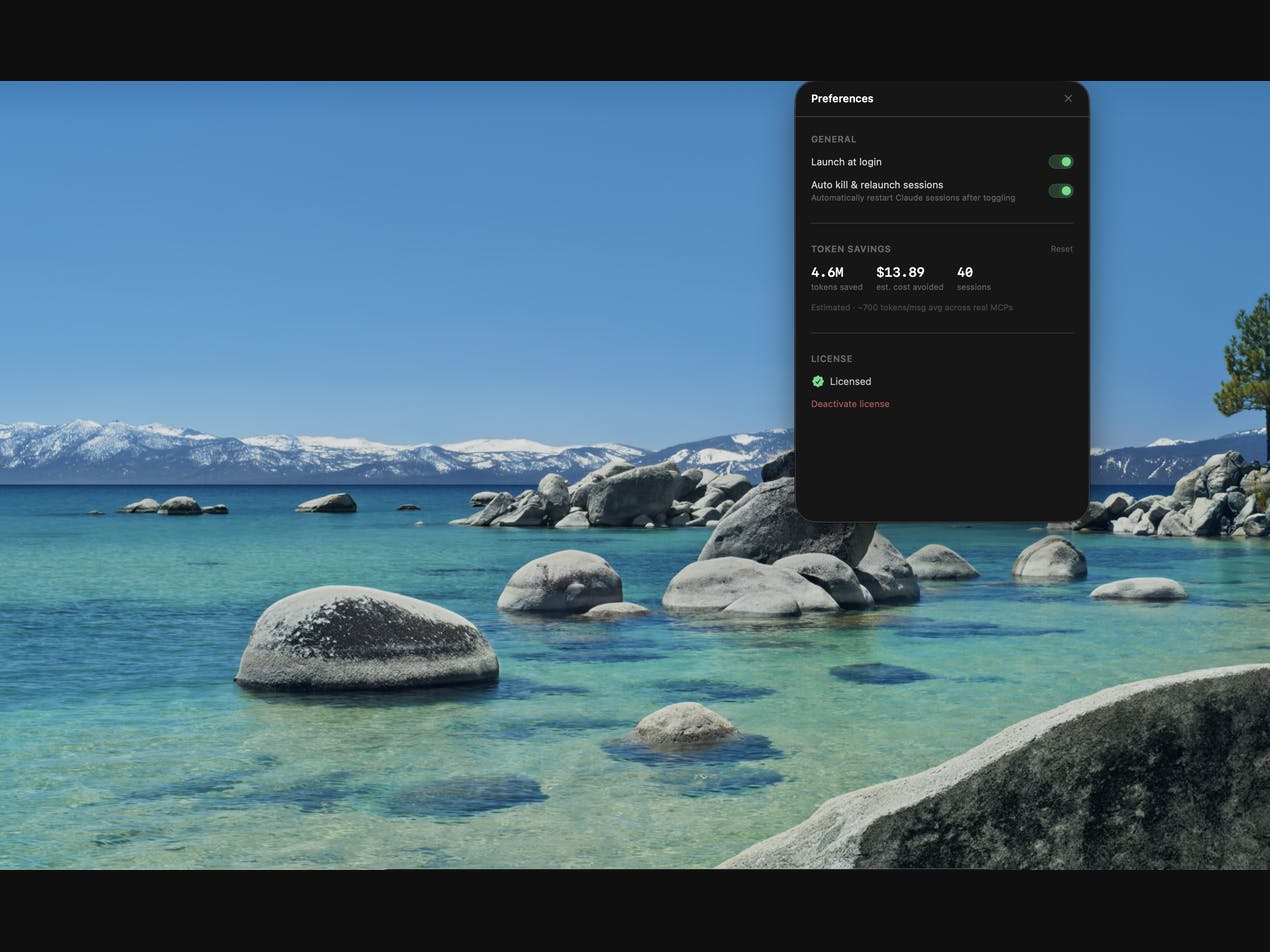
If you're using Claude, you know that every configured MCP server injects its tool definitions into your context window with every message, even if you don't need them. Vibedock offers a simple, elegant solution directly from your macOS menu bar. With just one click, you can effortlessly toggle your MCPs on or off, streamlining your AI interactions. Vibedock intelligently handles the backend, automatically killing and relaunching your Claude sessions to ensure your changes take effect instantly, giving you precise control over your context and improving your workflow efficiency.
07

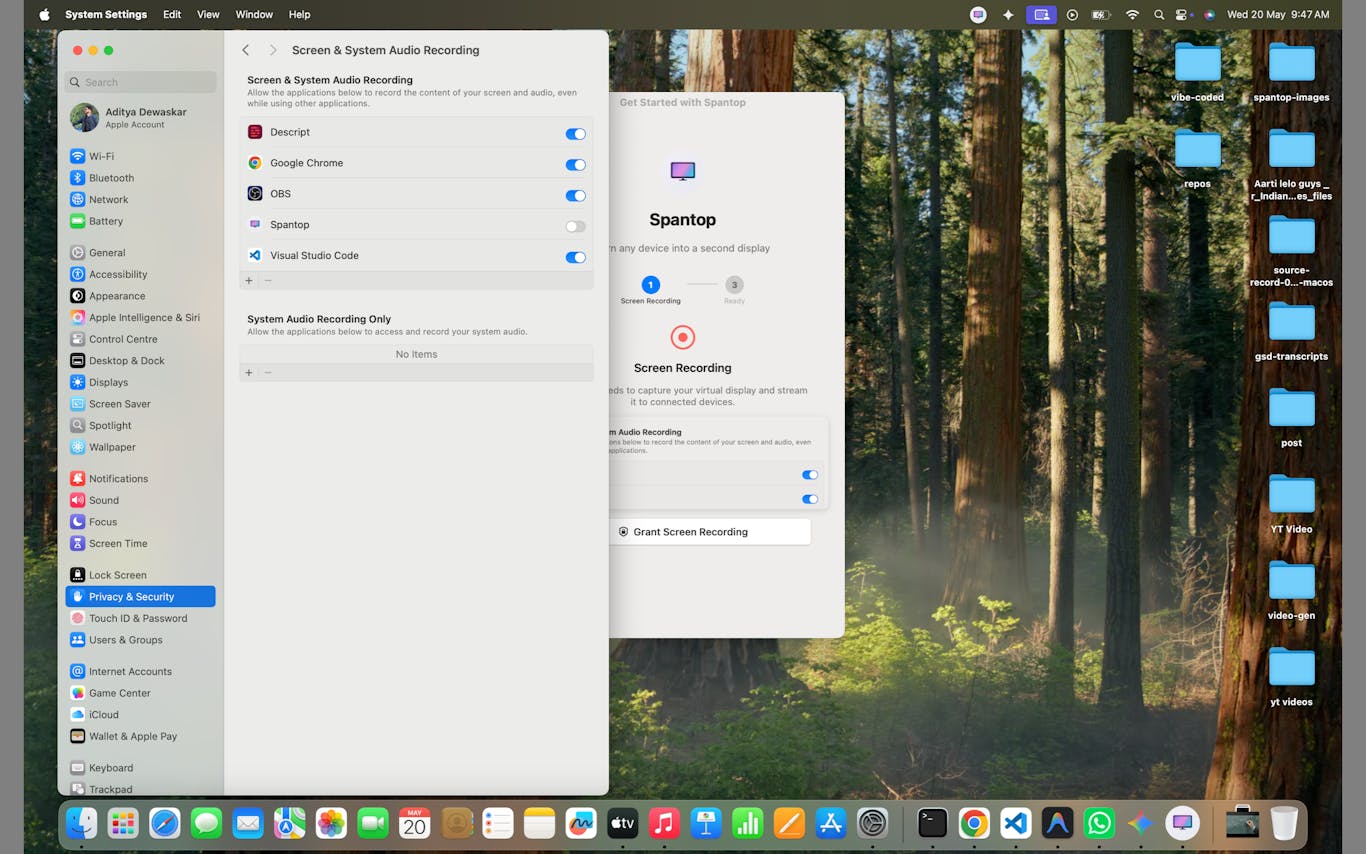
Spantop revolutionizes your workspace by transforming another Mac into a genuine second monitor for your primary device. Forget about purchasing bulky extra hardware; now you can seamlessly extend your desktop to a nearby screen using either Thunderbolt for maximum speed or WiFi for ultimate flexibility. Experience crystal-clear visuals with lossless LZ4 display compression and enjoy an astonishing 0 latency, ensuring a smooth and responsive workflow. This innovative solution is perfect for professionals who travel frequently, work remotely from cafes, manage multiple Apple devices, or simply need a quick, high-performance second display without the hassle of a traditional monitor. Enjoy a simple setup, a truly extended desktop, and a lightweight, Mac-first experience tailored for modern productivity.
08

Never let your Mac fall asleep unexpectedly again! With Coca 2.0, a simple click in your Mac's menu bar ensures your computer stays awake and active. This handy utility guarantees you'll remain 'green' and available across all your instant messengers and communication apps. Keep your workflow uninterrupted, your status always active, and your focus where it needs to be, all with effortless control.
09

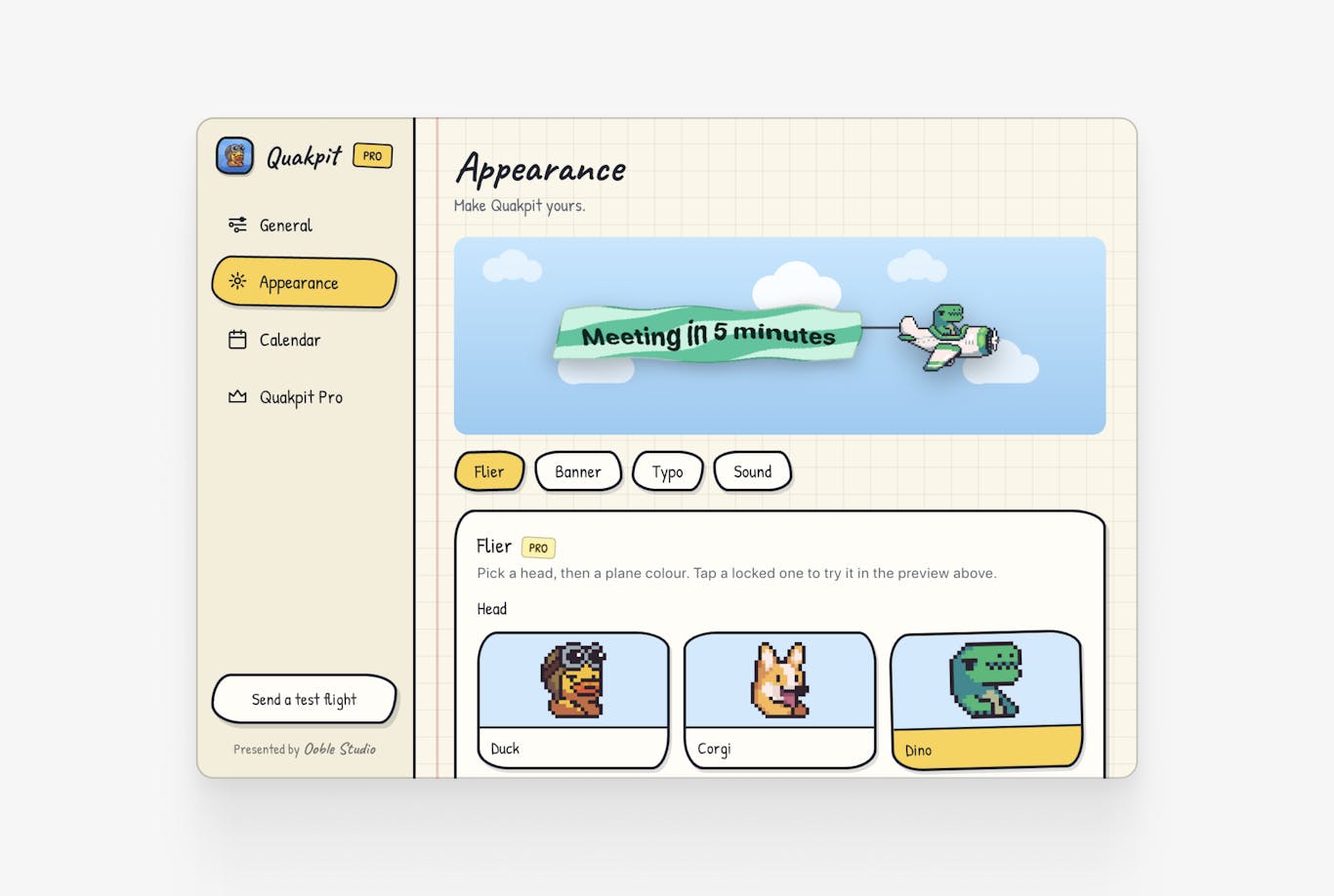
Quakpit is a delightful macOS menu bar application designed to ensure you never miss an important meeting again. It seamlessly connects with your calendar and, just before your scheduled events, dispatches a charming animal-piloted plane directly across your screen. Choose your favorite co-pilot from a selection including a duck, a dinosaur, a pigeon, a capybara, or a dog. This animated companion will gracefully cruise across your display, towing a personalized banner that clearly displays your meeting name and the remaining time until it begins. It's an attention-grabbing, yet utterly lovable, reminder that transforms meeting notifications into a fun experience. Quakpit is free to download and open source, making it easy to connect your calendar, select your preferred animal, and stay perfectly on schedule.
10

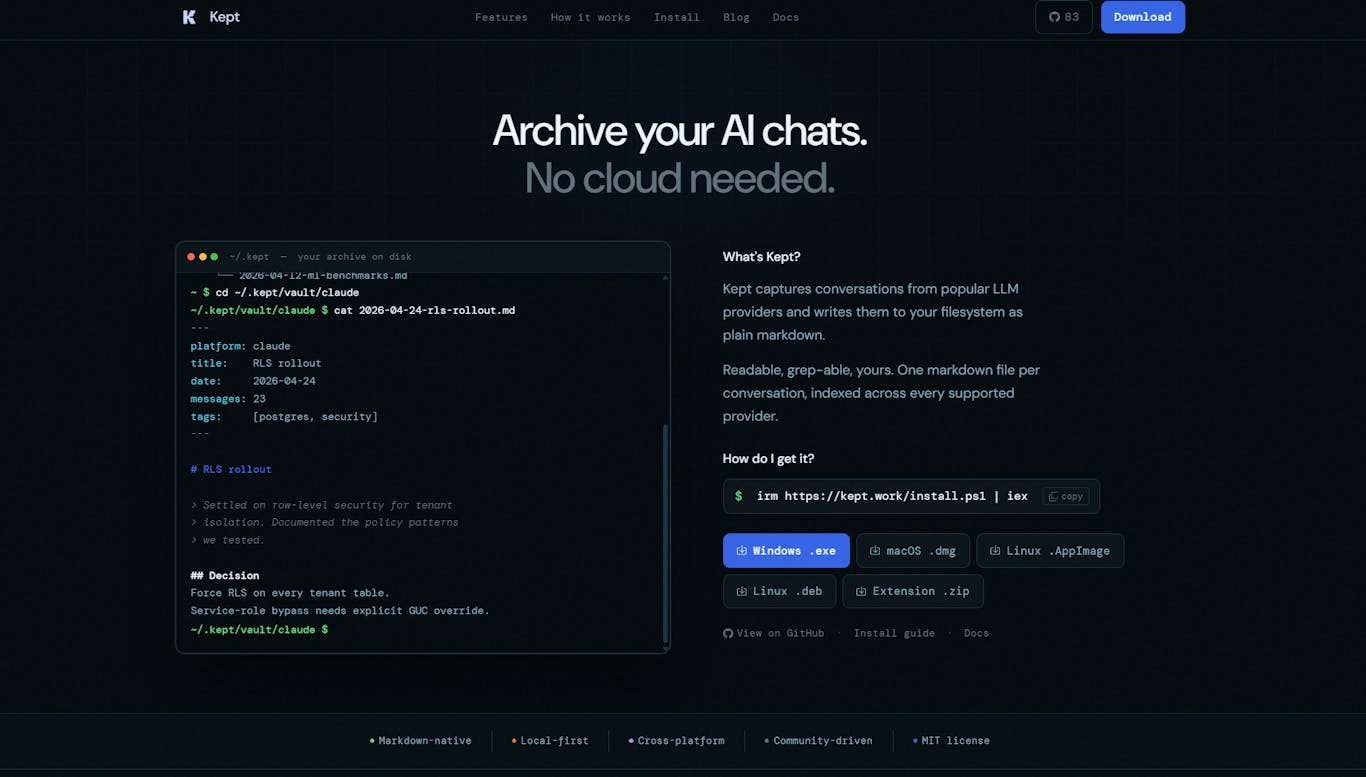
Kept is an innovative AI chat and productivity tool designed to empower you with full control over your digital conversations within your local archive. It intelligently captures and stores your interactions from popular AI platforms like ChatGPT, Claude, Gemini, Grok, and Kimi. These conversations are saved directly to your filesystem as Obsidian-compatible markdown files, ensuring future accessibility and portability. Kept provides robust features including comprehensive full-text search, a dynamic knowledge graph for deeper insights, and integrated MCP servers. Operating under an MIT license, you can view and manage your valuable conversation vault securely and entirely locally, maintaining privacy and ownership of your data.