
Best Productivity products of the month July 2026
Explore the most innovative and popular productivity products that captured the community's attention during month. These rankings help builders compare standout launches, understand what each product does, and discover practical tools shaping the future of technology.
Period
Monthly ranking
Published for
July 2026
Selection
10 ranked products
Ranked list
Community-backed productivity picks
Each product profile includes the launch story, visual preview, and direct product link so readers can move from discovery to evaluation quickly.
01

Wisprkey is a free and efficient voice typing app for Mac. It allows you to dictate text anywhere using a global shortcut and achieves 98 percent accuracy. It supports 31 languages, making it a versatile tool for speeding up your daily writing and communication tasks.
02

Banger is a native Mac application designed for teams that manage shared inboxes like support, sales, or founder accounts. You and your AI agents work together in the same mailboxes where agents can triage, label, and draft responses with scoped access while you review everything before it sends. You can connect your own domain or Google Workspace accounts, search through everything, assign threads, and track your work on a shared board. It is currently Mac first with Windows and mobile versions coming soon.
03

Typeahead acts as a helpful writing assistant that collaborates with you rather than taking over the process. It integrates into every text field on your Mac, providing smart inline suggestions that help you draft content more quickly and accurately. Because it operates on a local AI model, it works completely offline, ensuring that your writing remains private and secure on your own device at all times.
04

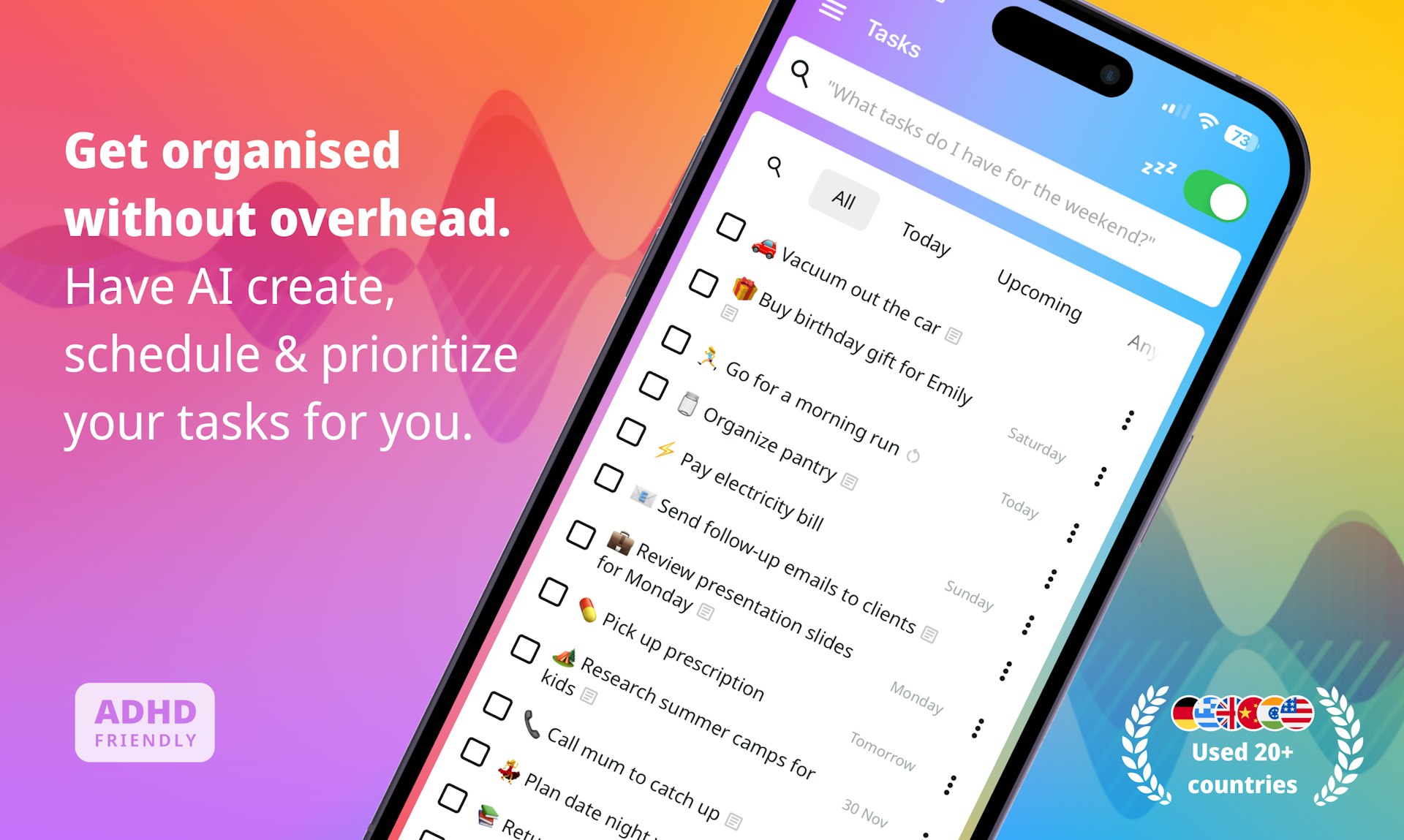
nxt acts as an AI-powered task manager that you communicate with just like a human assistant. You can perform a brain dump in natural language, and nxt will parse your thoughts to extract tasks, set priorities, and organize everything for you automatically. It learns your personal context to ensure your to-do list adapts to your life. When you are ready to work, nxt cuts through the clutter to show you one specific task and why it matters, helping you avoid decision fatigue and the stress of long, unmanageable lists.

Rewisp acts as an ambient memory for your Mac by reading screen text on-device to help you keep track of your digital life. It automatically catches commitments like promises to send files and reminds you until the task is complete. You can ask it what changed since a certain day to see updates, or search by meaning rather than just keywords. It tracks data points like weight or grades over time and helps fill out forms using your saved details, though it never touches your passwords. You receive one quiet summary each evening, and because it only saves text locally, your privacy is always protected.
06

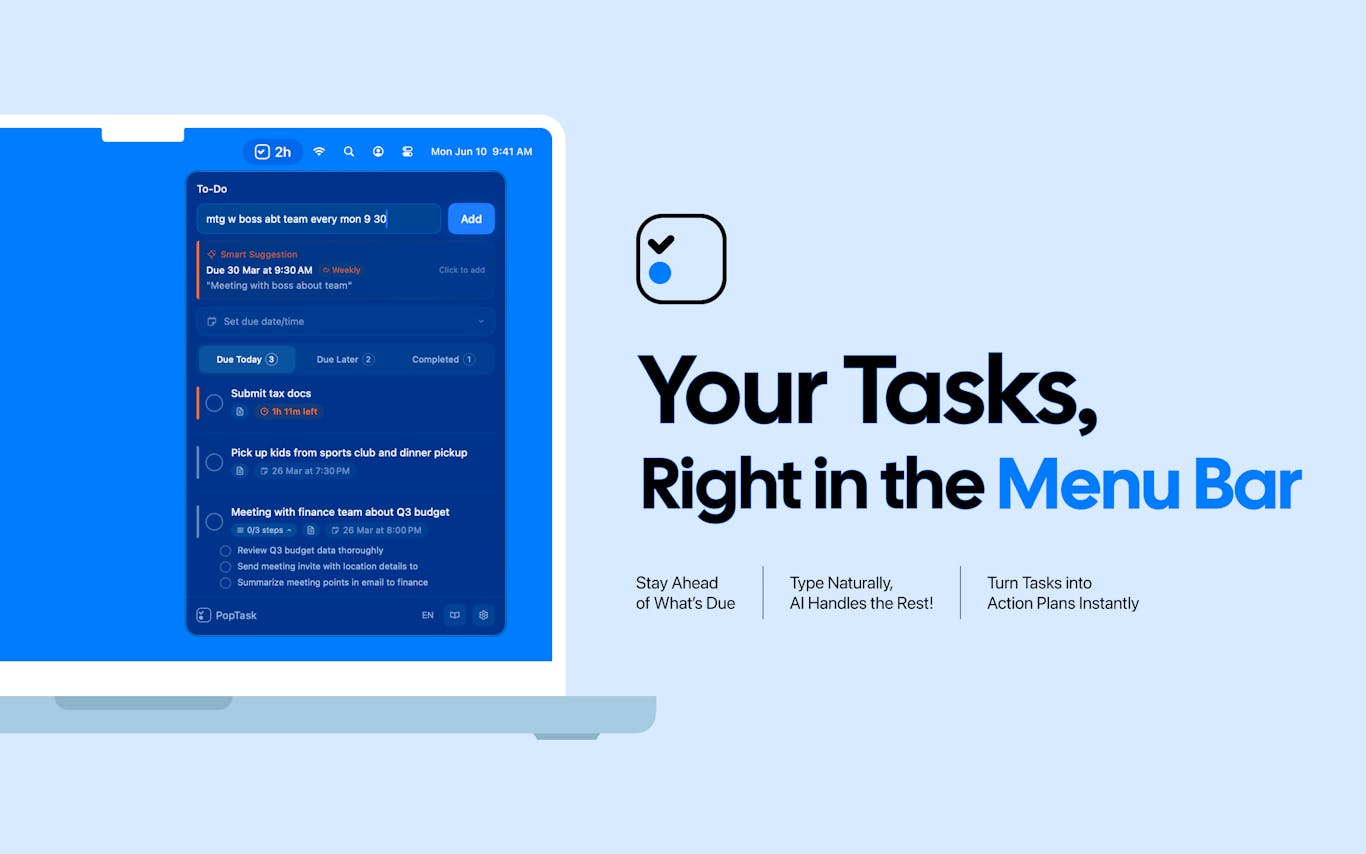
PopTask turns your messy thoughts into organized tasks in just a few seconds. You can type naturally, like saying gym mon wed fri 6am, and the app automatically handles the scheduling and reminders for you. It lives in your menu bar on Mac or through widgets on your phone, making it easy to capture ideas anywhere. It even breaks down large projects into smaller steps and keeps everything synced across your devices using your own iCloud, ensuring your data remains private and secure.
07

Pulse makes the most of your MacBook notch by turning it into a functional Dynamic Island. You can keep an eye on your music, active meetings, clipboard history, local weather, focus timers, and system status with just one quick glance at the top of your screen.
08

Eodly acts as a helpful chief of staff that monitors your team's updates from platforms like Slack, GitHub, and Linear. Each evening, it sends a single, summarized page to founders that highlights who is shipping work and where things might be slipping. It is designed to provide visibility into your team's progress without requiring them to fill out reports or log into new dashboards. It helps you stay informed about your company's health in a way that feels supportive rather than like surveillance.

10
Orbit keeps every one of your Google accounts in its own dedicated, isolated room on your Mac. You get the full power of the Gmail web interface, including Calendar, Drive, and Meet, all while keeping your accounts separate. It is a lightweight, native app that does not require a subscription or a server. You can switch between accounts easily using simple keyboard shortcuts, and there is a free trial available so you can test how it improves your daily workflow.