
Best Design Tools products of the year 2026
Explore the most innovative and popular design tools products that captured the community's attention during year. These rankings help builders compare standout launches, understand what each product does, and discover practical tools shaping the future of technology.
Period
Yearly ranking
Published for
2026
Selection
10 ranked products
Ranked list
Community-backed design tools picks
Each product profile includes the launch story, visual preview, and direct product link so readers can move from discovery to evaluation quickly.
01

Paint by JSON is an incredibly useful Figma plugin that allows you to bind your design layers directly to live REST endpoints. The process is straightforward: simply paste a URL, then map specific JSON paths to your corresponding layer names within Figma. Once configured, you can save this setup as a reusable Palette, which can then be applied to any frame in your design. This powerful capability lets you design with actual, real-world data instead of relying on generic lorem ipsum placeholder text, making your prototypes and mockups far more accurate and realistic.
02
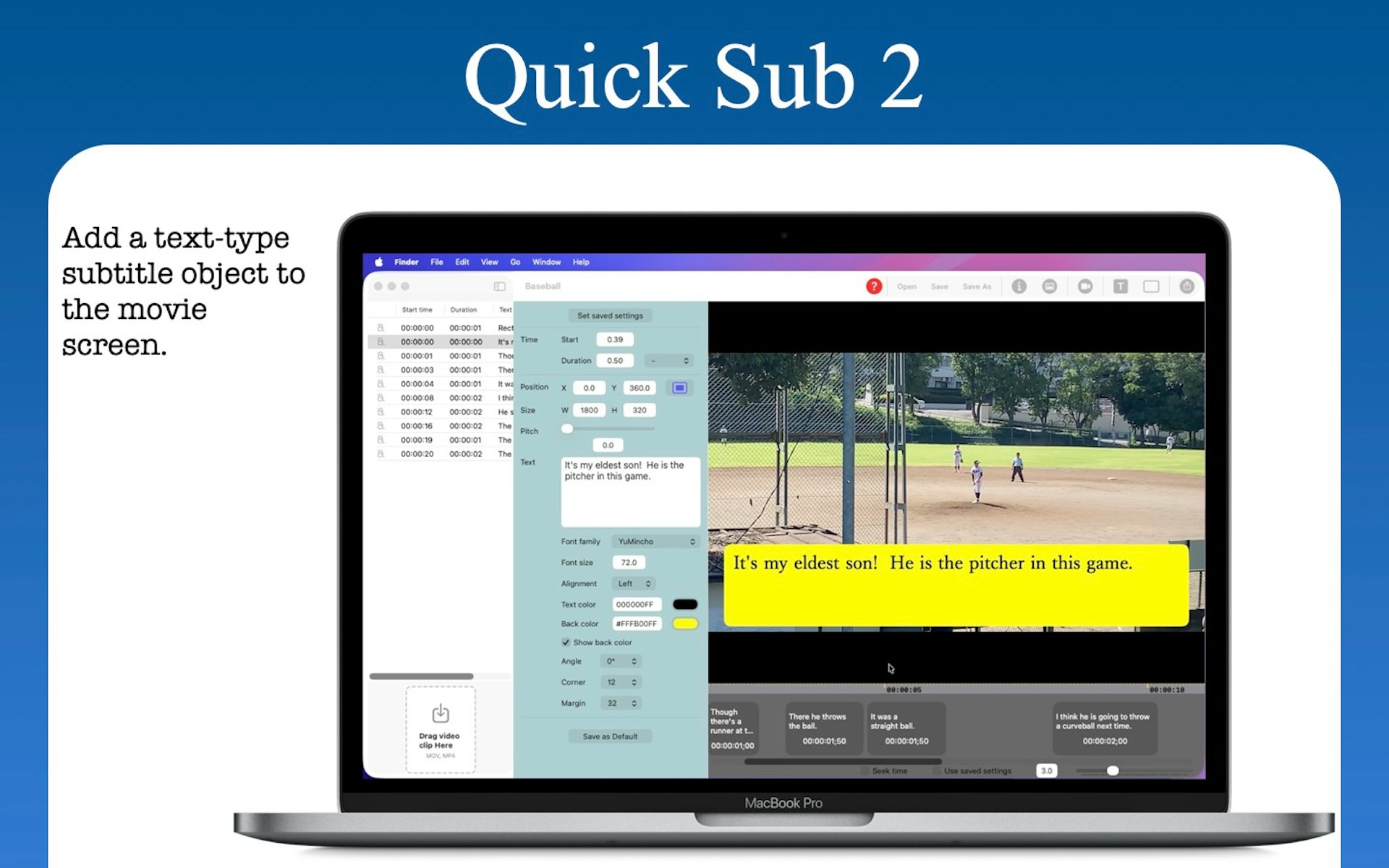
Quick Sub 2 is a streamlined macOS application built in SwiftUI specifically for creative video subtitling. It gives you independent control over text styling, container geometry, and rotation angles. You can drag subtitle objects directly on the video canvas for perfect positioning, apply batch styles across multiple objects with a single command, and use a dynamic timeline that scales from 0.1x to 10x for precision timing. The app includes full native undo and redo support and reliable file persistence.
03

Annotate-8 is a tool that lets you record your screen while drawing and talking to explain exactly what you need. Once you are done, it sends that recording to an AI agent to handle the task. It works perfectly with coding assistants like Claude or Cursor, and because it runs locally, your data stays private and free to use.
04

Elevate your design workflow by seamlessly connecting your AI assistant to Figma via the MCP integration. This powerful solution enables you to create new designs, efficiently update existing layers, and comprehensively manage components directly from Cursor. Experience the benefits of real-time bidirectional synchronization, ensuring perfect alignment and consistency between your codebase and Figma designs. This integration streamlines collaboration and accelerates the design-to-development handoff process, enhancing productivity for design and engineering teams alike.
05

Omma stands at the forefront of creative technology, uniquely combining advanced code generation via Large Language Models (LLMs), sophisticated AI-powered 3D generation, and comprehensive media generation capabilities. Leveraging parallel agents, Omma empowers users to rapidly create a diverse array of interactive digital assets, including dynamic applications, immersive websites, high-fidelity 3D models, and much more, pushing the boundaries of what's possible in digital creation.
06

3Flow AI offers a cutting-edge, browser-based AI workspace specifically tailored for 3D designers. This powerful platform empowers you to generate stunning design images, intricate 3D models, and rapidly transform nascent ideas into refined product designs within seconds. We developed 3Flow AI with the critical early stages of product design in mind, where unparalleled speed and absolute clarity are paramount. It's the ideal environment for iterating on raw, evolving concepts, eliminating the bottlenecks typically imposed by conventional design tools.
07

Chordio Workbench empowers Product Managers and designers to prototype directly within their live product environment, even in complex enterprise settings. Running within Claude Code, it initiates the process by securely cloning the product's front-end and relevant contextual data into a dedicated repository, enabling rapid prototyping in minutes without heavy setup. The platform comes equipped with built-in agent skills and a local dashboard, facilitating comprehensive support for research, iterative prototyping, streamlined review processes, and effective stakeholder communication. This holistic approach supports the entire workflow, from initial concept to a confident "ship it" decision, significantly accelerating product development cycles.
08

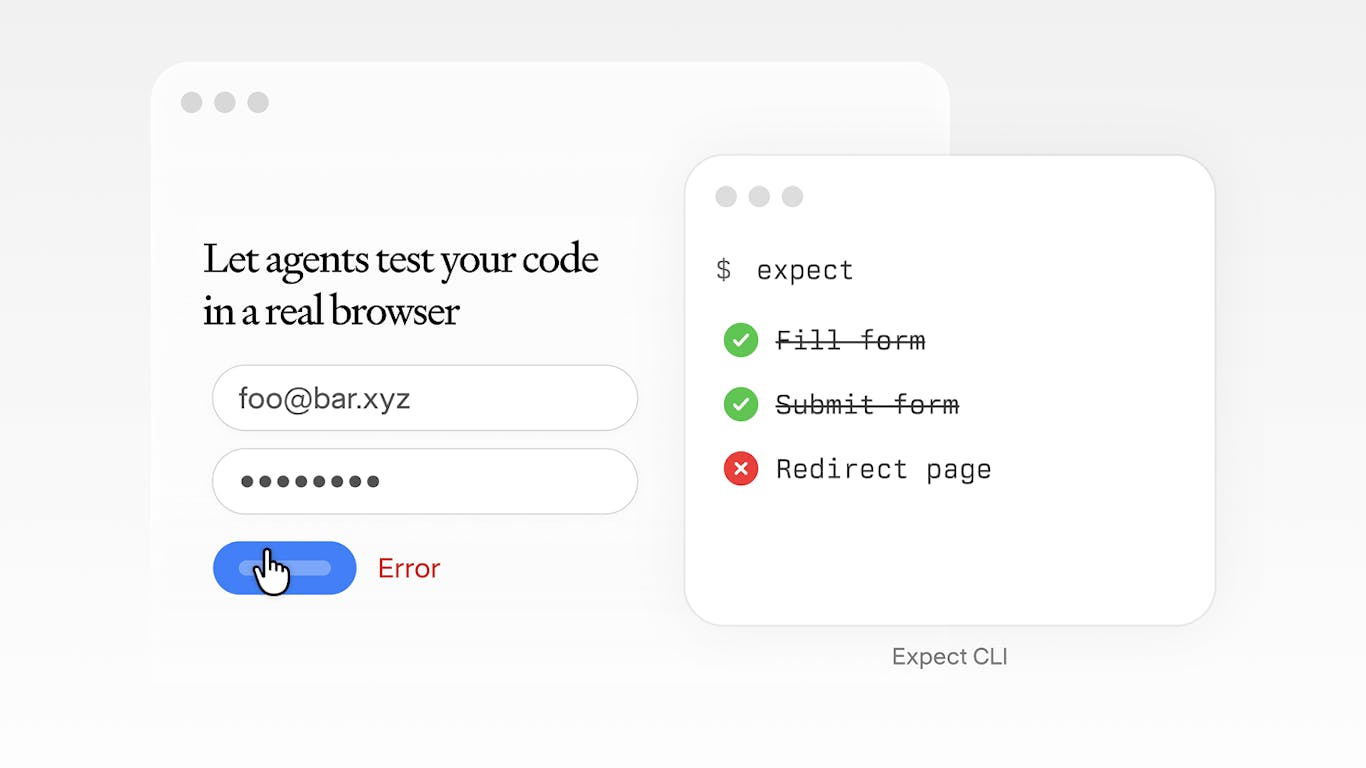
Expect streamlines your testing workflow with a single, powerful command. It intelligently scans your unstaged changes or branch differences, automatically generates a comprehensive test plan tailored to your modifications, and then executes these tests against a live browser environment. This innovative approach ensures rapid feedback on code quality and functionality, significantly reducing manual testing efforts and enhancing the reliability of your deployments. Integrate Expect into your development pipeline for swift, automated, and dependable browser-based testing.
09

Tired of the tedious process of manually transferring AI summaries into design tools? NotebookLM's Custom Infographic Styles transforms your research sources directly into professionally polished visuals with unprecedented ease. Choose from 10 distinct preset styles, including Sketch, Anime, Editorial, and Bricks, or utilize the custom mode for personalized designs. This innovative feature converts complex research into compelling infographics in mere seconds, drastically simplifying your visual communication workflow.
10

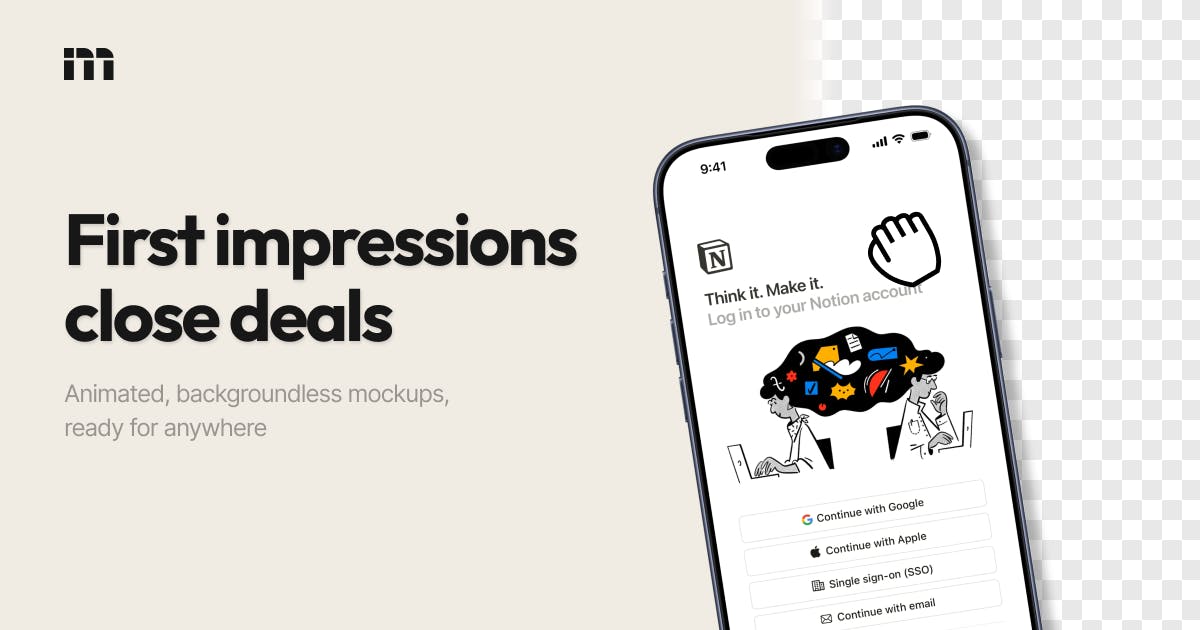
Mokkit-2 effortlessly transforms your static screenshots into high-converting, animated device mockups in mere seconds. This intuitive platform allows you to create visually stunning, transparent visuals that significantly enhance your marketing materials, all without requiring any prior design expertise or specialized software. Mokkit-2 is the perfect solution for showcasing your software, applications, or websites in a professional, dynamic, and highly engaging manner, capturing audience attention and boosting your conversion rates.