
Best Mac products of the year 2026
Explore the most innovative and popular mac products that captured the community's attention during year. These rankings help builders compare standout launches, understand what each product does, and discover practical tools shaping the future of technology.
Period
Yearly ranking
Published for
2026
Selection
10 ranked products
Ranked list
Community-backed mac picks
Each product profile includes the launch story, visual preview, and direct product link so readers can move from discovery to evaluation quickly.
01

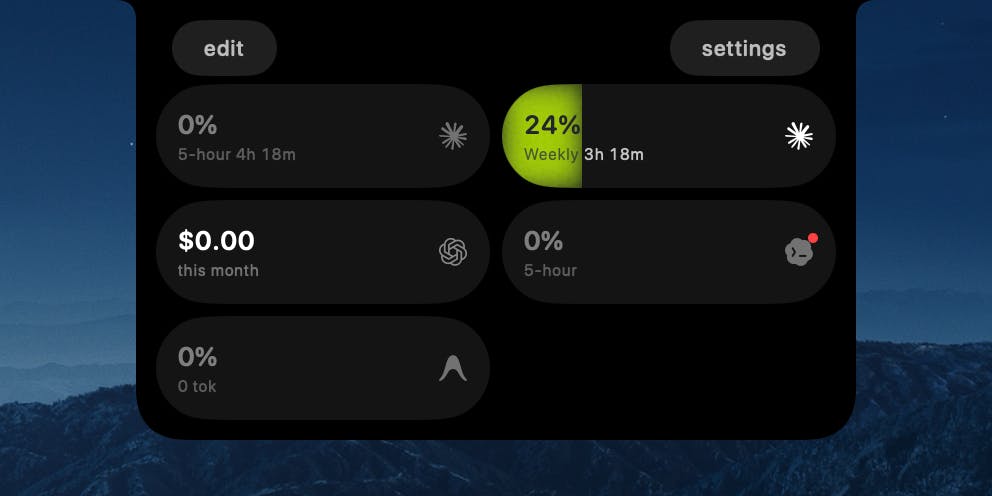
TrackNotch is a native macOS application that offers real-time monitoring of your AI tool usage, conveniently displayed directly within your MacBook's notch. This innovative app provides instant visibility into your Claude, OpenAI, Cursor, and Codex usage, including context arc, budget tracking, and current rate limits. Designed with privacy as a core principle, all data processing is strictly local to your machine; there are no proxies, no telemetry, and absolutely nothing leaves your device. TrackNotch is completely free and open-source, providing transparency and control over your AI resource consumption.
02
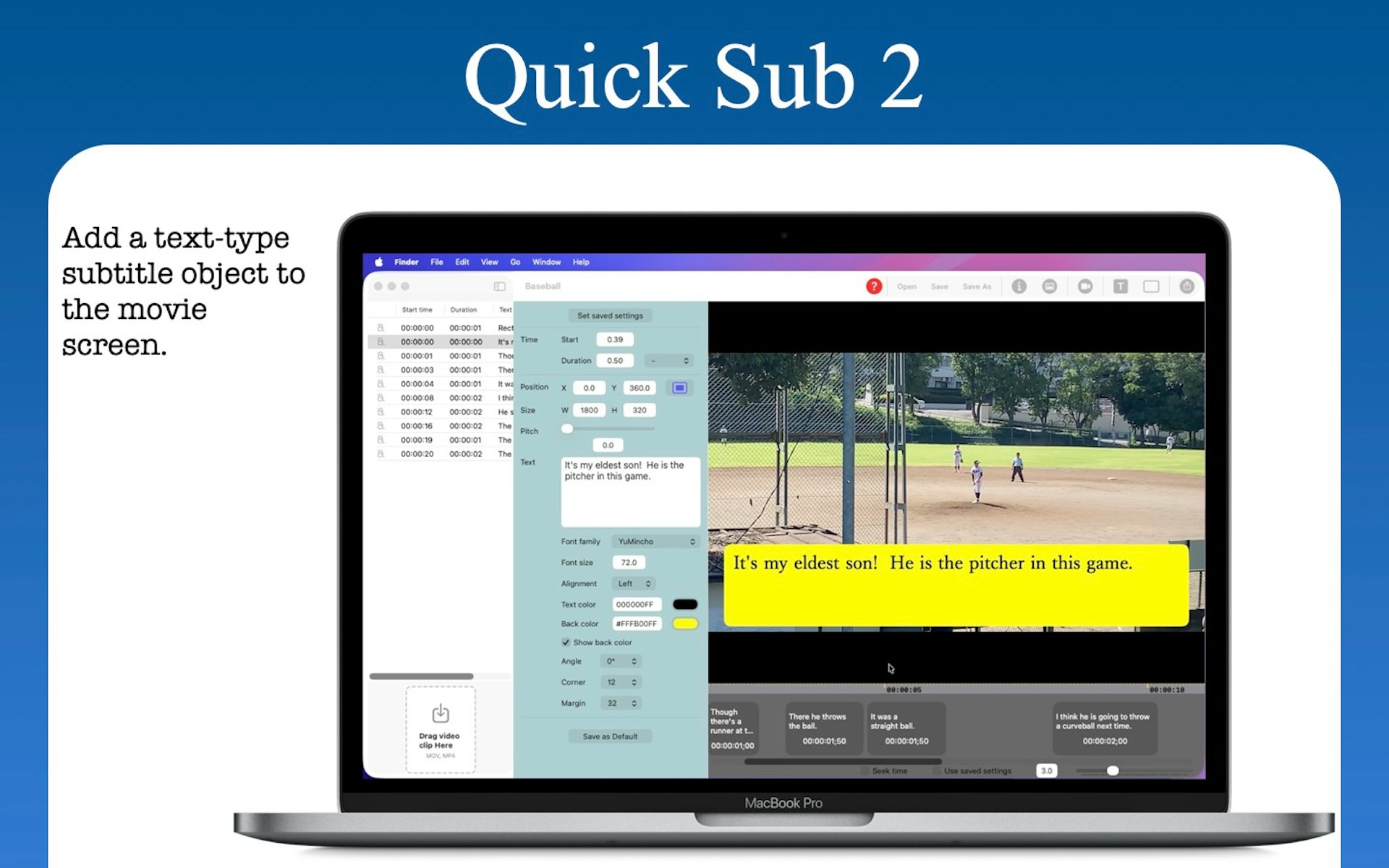
Quick Sub 2 is a streamlined macOS application built in SwiftUI specifically for creative video subtitling. It gives you independent control over text styling, container geometry, and rotation angles. You can drag subtitle objects directly on the video canvas for perfect positioning, apply batch styles across multiple objects with a single command, and use a dynamic timeline that scales from 0.1x to 10x for precision timing. The app includes full native undo and redo support and reliable file persistence.
03


KiwiDesk is a tiling window manager for macOS that keeps your Mac calm and organized. Every window finds its place in one of seven layouts, apps open with a shortcut, and mouse users get a Space Bar they can drag windows onto. It works with your native macOS Desktops. You can bind a profile to each desktop and it loads the moment you swipe there, bringing its own spaces, layouts, colors, and shortcuts. Everything is set in a native Settings app, so you don't need a config file. It's free to use, and the source is on GitHub.
04

start a focus timer by pulling a cat paw, it lives in your mac menu bar or you can pin it like a mini timer! it has adjustable focus and break sessions, eight cat paws, themes, and a quiet heads-up before your timer ends. made for macos 14+. $9.99 once, with no subscription.
05

Maestri is an innovative native macOS application offering an infinite canvas environment for developing and orchestrating AI agents. It transforms each terminal into a visual node, which users can freely arrange alongside notes and sketches for a truly intuitive workflow. Agents are connected by simply dragging a line, enabling them to collaborate seamlessly across various harnesses through advanced PTY orchestration. This allows for powerful integrations, such as Claude Code interacting with Codex, or Gemini delegating tasks to OpenCode. Maestri also features Ombro, an on-device AI companion powered by Apple Intelligence, which continuously monitors all activity and provides concise summaries of work performed in your absence. Built with SwiftUI and a custom engine, it guarantees zero cloud reliance, ensures no telemetry data collection, and offers superior privacy.
06

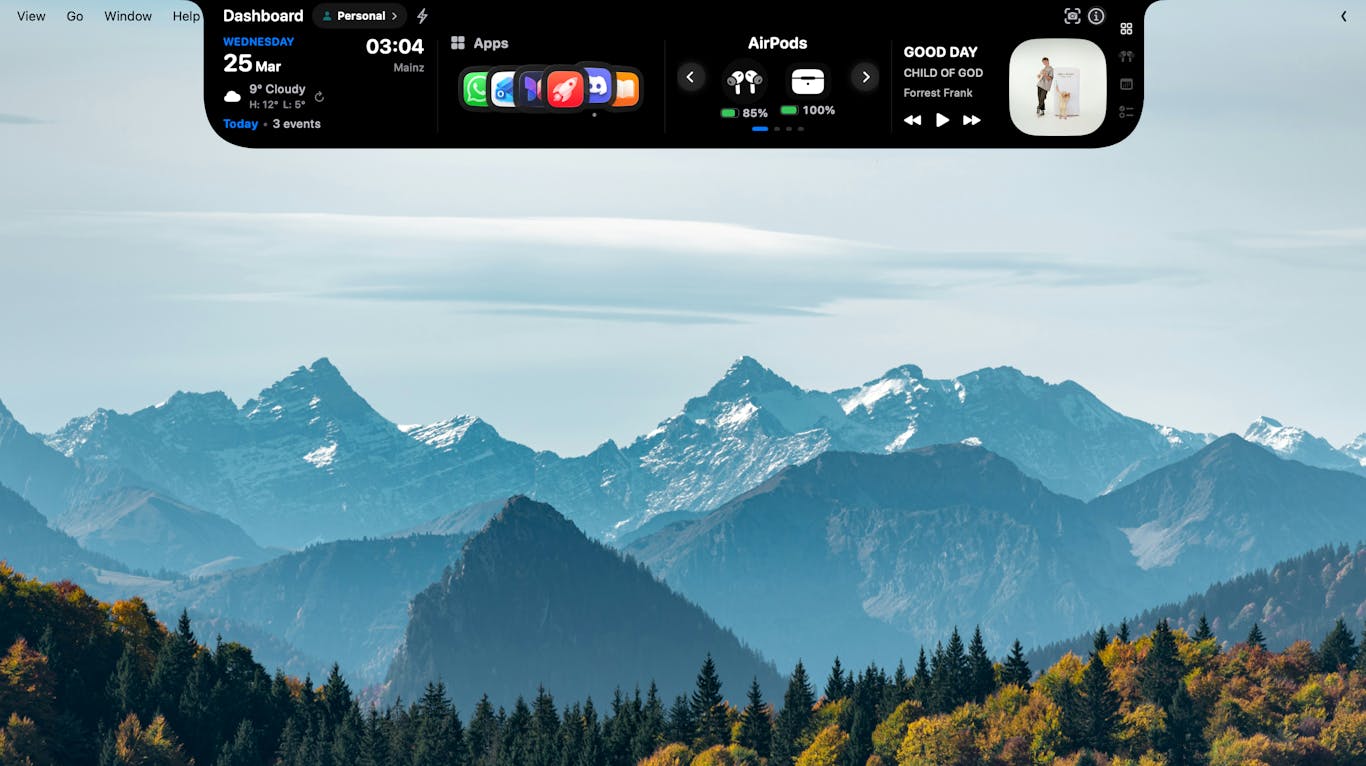
MacNotch ingeniously transforms your MacBook's notch into a versatile, modular dashboard, placing essential information and powerful tools directly in your line of sight. Access weather updates, music controls, calendar events, tasks, notes, a Pomodoro timer, Bluetooth device management, system performance monitoring, translation utilities, app shortcuts, reminders, and daily quotes, all at a glance. Furthermore, MacNotch enhances productivity by allowing you to drag files onto the notch for quick AirDrop, zipping, conversion, or sending to iCloud. Crafted with native Swift, this lightweight application is meticulously designed to offer a seamless and integrated macOS experience.
07

Ditch-2 is an exceptionally lightweight and efficient Mac application cleaner ingeniously designed to reside discreetly within your MacBook's notch, ensuring constant accessibility. Simply drag any unwanted application to the notch, drop it, and Ditch intelligently removes it along with all associated leftover caches, logs, and preferences, ensuring a thorough cleanup. This fast, safe, and fully open-source solution eliminates the need for bloated installers or complex menus, providing an effortless Mac cleanup experience. Key features include its seamless integration into your MacBook notch for instant access, deep cleanup capabilities targeting caches, preferences, logs, and containers, a convenient preview function before deletion, and the assurance that all removed items are safely moved to the Trash. Experience lightning-fast performance and a clutter-free macOS with Ditch-2.
08

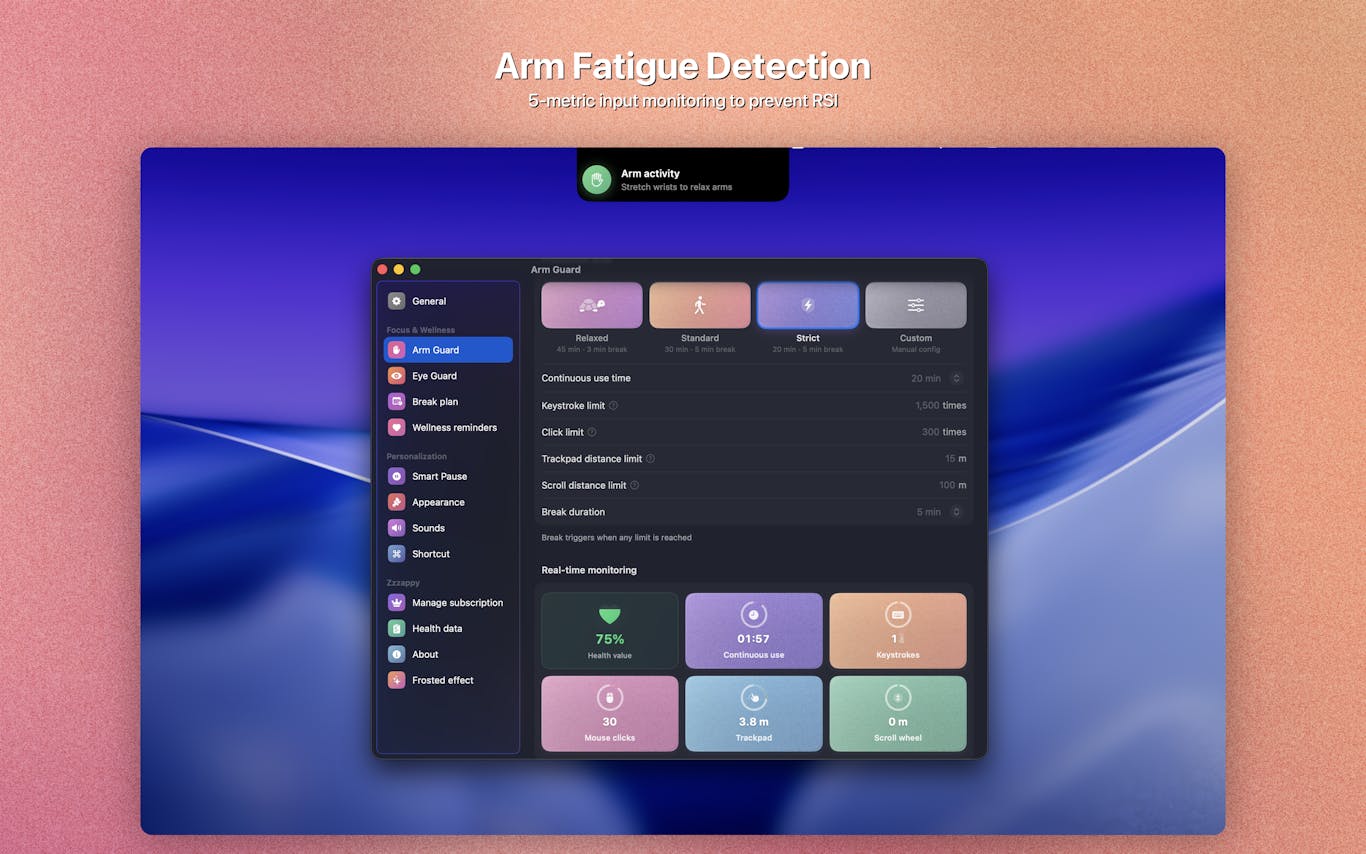
Zzzappy is an essential native macOS health guardian meticulously designed to safeguard your well-being by monitoring both screen time and arm input load. It scientifically schedules optimal breaks to protect your vision and proactively prevent Repetitive Strain Injury (RSI). Key features include Eye Guard, which implements the 20-20-20 rule with customizable intervals and pre-break reminders with snooze functionality. Arm Guard provides real-time monitoring across five critical input dimensions: keystrokes, mouse clicks, trackpad travel, scroll distance, and continuous use duration. Additional benefits encompass Smart Pause, Immersive Breaks, a comprehensive Health Dashboard, and the assurance of 100% offline operation, ensuring privacy and reliability.
09

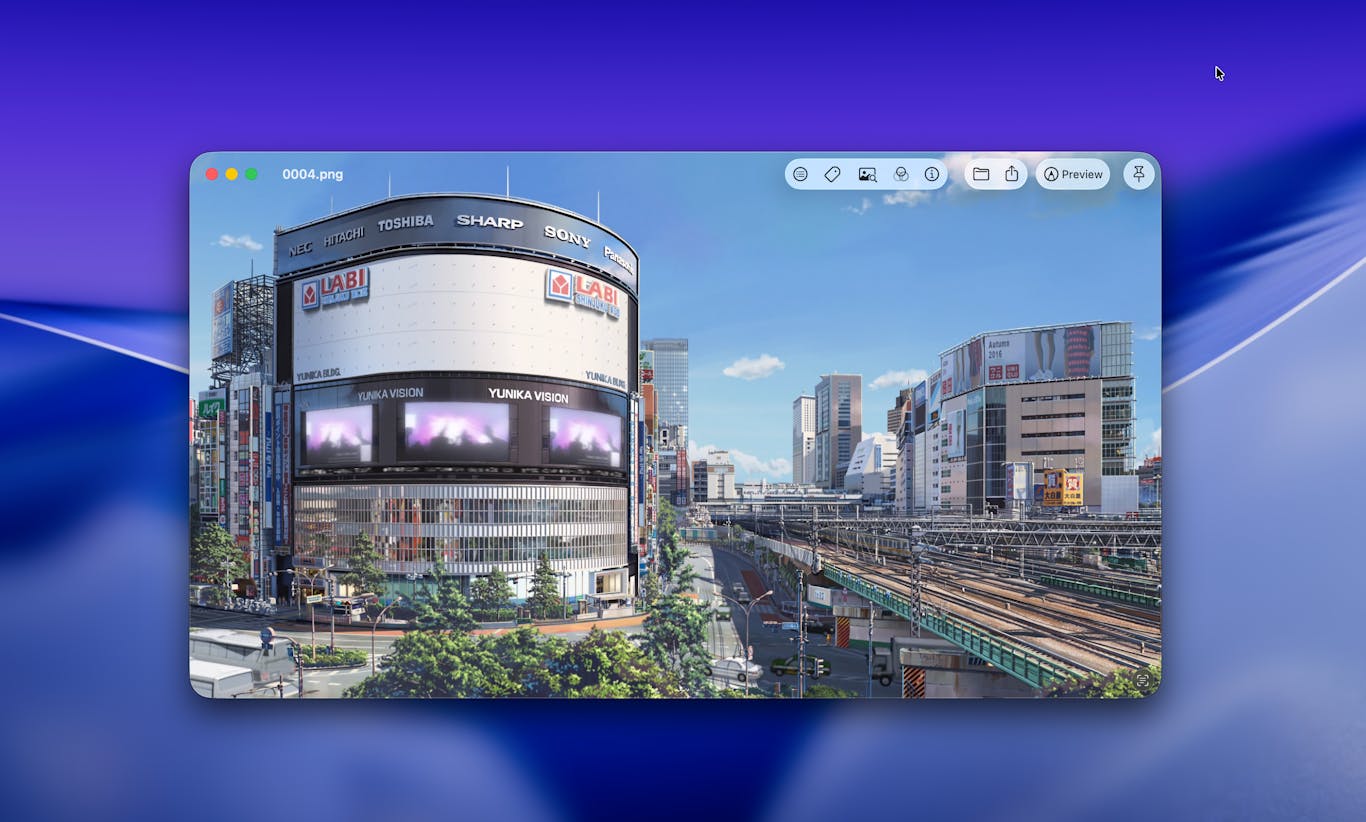
Vista is a streamlined image viewer meticulously crafted for macOS, addressing the shortcomings of default options like Preview and Quick Look. Unlike bloated Electron alternatives or full-featured editing suites, Vista focuses purely on rapid image display. It allows swift navigation with simple arrow key controls, offering a clean, fast experience. While deceptively simple on the surface, its underlying architecture is obsessively refined, delivering every intuitive detail expected from a native Mac application, plus a few delightful enhancements, all available for free.
10
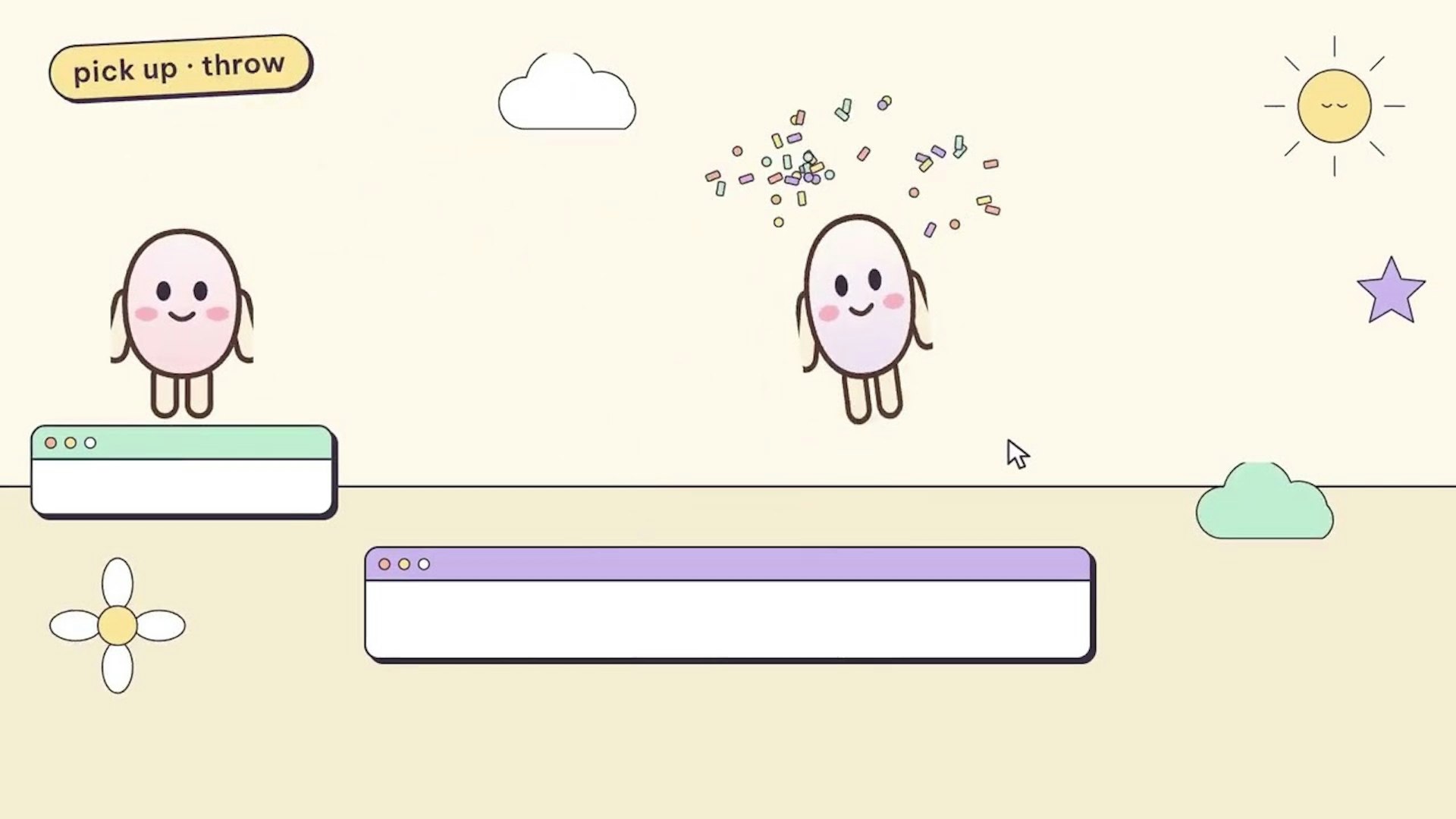
Your headphones become a focus switch. Put your AirPods in and your Mac turns on your Focus mode, blocks distracting sites and starts a timer in the notch. Take them out: break time, sites come back. Also in the notch: now playing, volume and brightness, your own colors, session history and two tiny buddies that react to everything. Free, private, macOS 14+ on Apple Silicon. Vibe-coded by one person and Claude.